
Let’s Blinkit!
This is a phrase that is common nowadays in most Indian households. From delivering groceries, fruits, and vegetables to cosmetics, electronics, and even mobile phones, Blinkit has become the go-to platform for getting quick deliveries (under 10 minutes).
Blinkit (formerly known as Grofers) is an Indian quick-commerce company owned by Zomato (now Eternal Limited). The company uses an extensive network of dark stores, used to deliver orders in 10 minutes.
Blinkit’s popularity isn’t just among consumers but sellers as well. By becoming a Blinkit Seller, one can enter the world of quick commerce and reach millions of buyers. But how do you sell on Blinkit? Let’s decode the full blinkit seller registration process in this blog.
Documents Required for Blinkit Seller Registration
To start your Blinkit seller journey, you require the following documents:
Essential Business & Identity Documents:
- GST Registration Certificate & Number
- PAN Card
- Aadhaar Card
- Business Address Proof
- Business Bank Account Details (Account number, IFSC, and a cancelled cheque/statement)
Brand & Product-Specific Docs:
- Brand Authorization Letter (BAL)
- Trademark Certificate/Logo
- FSSAI License (mandatory for selling food items)
- Drug License (mandatory for selling pharma items)
- Business Registration Certificate (CIN or Udyam Registration)
Other Requirements:
- Active Email & Mobile Number
- Signed Declaration
- Social Media/Website Links
Step-by-Step Blinkit Onboarding Process
If you are wondering how to sell on Blinkit, then let us tell you that it is pretty simple. Below is the step-by-step Blinkit seller registration process.
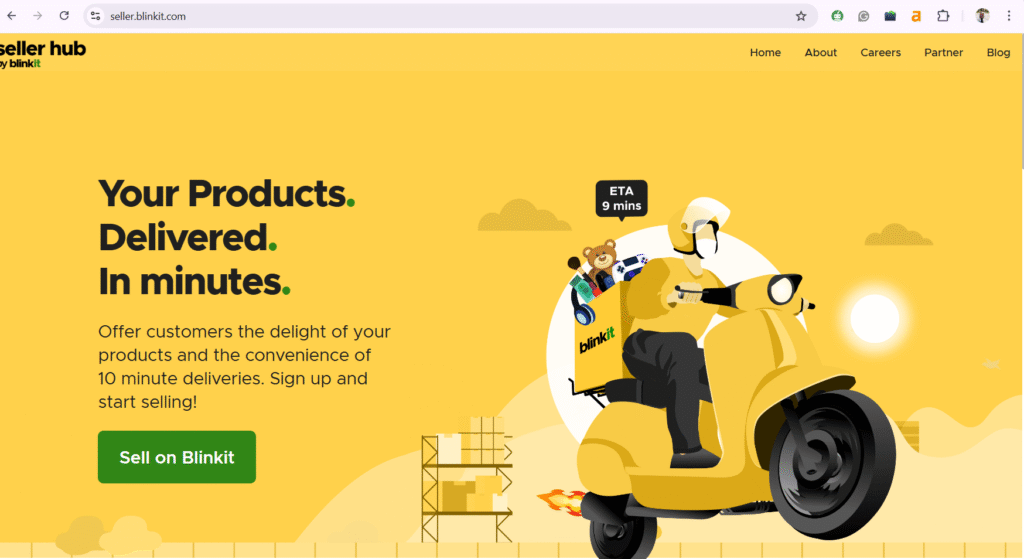
- Go to the Blinkit seller hub
- Visit blinkit seller hub and click on “Sell on Blinkit.”
- Enter your email and you will receive an OTP. Enter it to proceed further. Or you can simply sign in with Google.
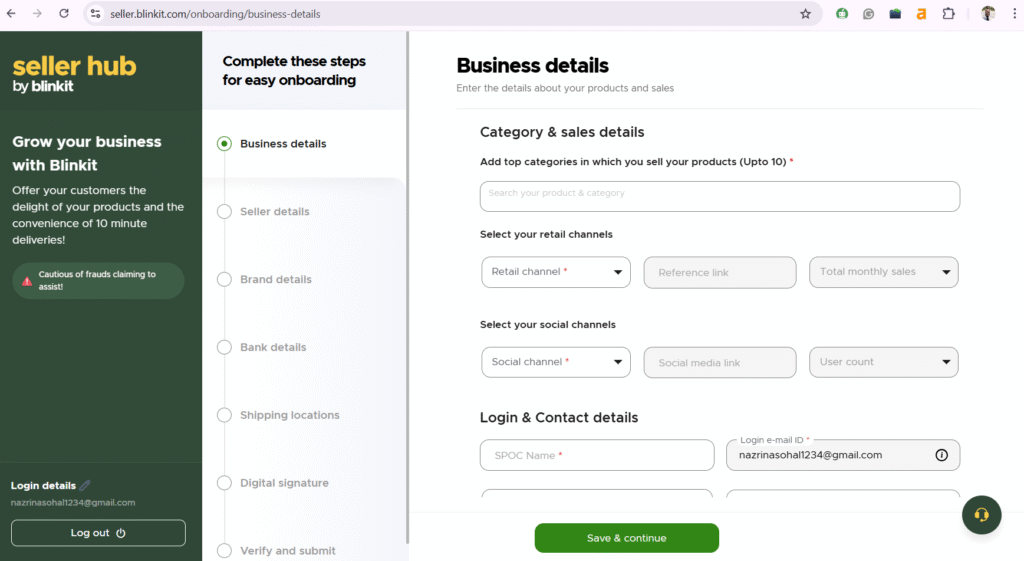
- Fill the required business details
- Now enter the important details about your business, like categories, retail channels, social channels, etc.
- You will get an OTP on your registered mobile number. Enter it, and click on the “Save & Continue” option to move ahead.
- Verify the GST information
- Now enter the 15-digit GSTIN (Goods and Services Tax Identification Number).
- Select the “Verify” option to confirm that the GSTIN is registered in your name.
- Fill your brand details
- Enter your brand name, description, and other details.
- Now add your bank account details
- Enter your bank account details (IFSC code, account number, etc.) You will receive payments in this account.
- Set your shipping locations
- Blinkit operates in certain zones and you need to keep your products in the shops that fall under those areas.
- Add your digital signature
- Upload your digital signature.
- Final verification
- This is the last step of the Blinkit onboarding process. Verify all the details you have filled and click on the “Submit” button.
- The Blinkit team will review your request. After approval, you will get a confirmation email.
What Products Can You Sell on Blinkit?
As a Blinkit seller, you can sell a wide range of products like
- Groceries
Rice, flour, pulses, oils, spices, dry fruits, tea, coffee, snacks, biscuits, instant foods, frozen foods, and sweets.
- Fresh & Dairy
Fruits, vegetables, milk, eggs, bakery items, and juices.
- Personal Care
Soaps, shampoos, body wash, baby care, and wellness products.
- Home Essentials
Cleaning supplies, kitchen & dining needs, home decor, stationery, pooja items, and pet care.
- Electronics & Accessories
Mobiles, gadgets, and small appliances (mixers, irons, and fans).
- Paan Corner & More
Paan, chocolates, health drinks, and organic/gourmet items.
What Products You Can’t Sell on Blinkit
You can’t sell the following products on Blinkit:
- Illegal/Harmful Items
Anything against Indian law, harmful to minors, or threatening to national security.
- Counterfeits/Infringements
Fake brands or products violating patents, trademarks, or copyrights.
- Dangerous Goods
Weapons, explosives, or highly flammable items.
- Unregulated Items
Certain pharmaceuticals (require Drug License) or uncertified food items (require FSSAI license).
What is the Blinkit Seller Commission Structure?
Blinkit Commission Structure (Slab-Based Model – 2025)
As of March 2025, Blinkit follows a slab-based commission system. The rate you pay depends on the price of the products you sell.
- Up to ₹500: 2%
- Between ₹500 and ₹700: 6%
- Between ₹700 and ₹1200: 13%
- ₹1,200 or more: 18%
Profit Margin Breakdown for Blinkit Sellers
Your profit on Blinkit depends largely on the type of products you sell. On average, sellers see the following margins across categories:
- Groceries and dry items: around 10 to 15 percent
- Dairy and other perishables: roughly 5 to 8 percent
- Personal care products: usually between 15 and 20 percent
- Beverages: about 8 to 12 percent
- Packaged foods: close to 12 to 18 percent
Key Additional Costs
- GST & TCS: You pay 18% GST on Blinkit’s commission and 1% TCS (Tax Collected at Source) on the selling price.
- Fulfillment Fees: For logistics, picking, packing, and delivery, expect charges like ₹50 per item or per order, depending on the service level.
- Warehousing Fees: If using Blinkit’s dark stores, you’ll pay for storage (per day/shelf space) and inwarding (receiving) your stock (e.g., ₹5 per unit).
- Marketing & Promotions
- Return & Inventory Costs
- Payment Processing: A small percentage (around 2-3%) for handling online payments.
Blinkit Vendor Registration Cost
Many people wonder if they have to pay for Blinkit seller registration. Let us tell you that the Blinkit onboarding process is absolutely free. You don’t have to pay a single rupee to register on Blinkit.
Common Mistakes to Avoid When Selling on Blinkit
New Blinkit sellers often make many mistakes and then wonder why there aren’t any profits. Below are common mistakes that you should avoid.
Not updating stock properly
If your stock count is wrong, orders will get cancelled. This will affect your rating. So, always keep your stock updated.
Keeping prices without checking profit
Some Blinkit sellers fix prices without adding Blinkit commission and other charges. This can lead to losses. Always check how much profit you will make before listing a product.
Selling products that do not move fast
Blinkit is best for daily use items. Slow-selling products can get stuck in your stock and block your money.
Not planning for returns or damage
Sometimes products come back due to damage or leakage. If you do not plan for this, your profit will reduce.
Listing too many products at once
Adding too many items early can increase your commission rate. Start with fewer products and add more slowly.
Missing GST or other documents
Wrong or missing documents can stop your payments or cause account issues. Keep all required papers ready and updated.
Ignoring seller performance
Blinkit checks order cancellations and delivery delays. Poor performance can reduce your chances of getting more orders.
Let’s Summarize!
This blog explains everything you need to know about becoming a Blinkit seller. You need to have the right documents, list your products, and plan for marketing, returns, etc. Becoming a Blinkit seller is one thing and running a profitable store is another. So, look out for the common mistakes that we have highlighted so you can maximize your performance and profits.
If you still face any issue in blinkit seller registration, then reach out to the experts at Ecom Dignity. We provide end-to-end Blinkit seller onboarding and registration services. We will take care of your store setup, product listings, marketing, etc. Contact us for a free strategy call!
FAQs
1. How to become a seller in Blinkit?
Visit the blinkit seller hub and click on “Sell on Blinkit.” Then add your email address and enter the OTP received. Now fill in all the business details, brand details, bank details, shipping details, etc. Then just wait for the confirmation email from Blinkit.
2. How much does Blinkit charge sellers?
Blinkit takes a commission from sellers based on the type of product they sell. For example, grocery items usually have a lower commission of around 8 to 12 percent, while personal care products have a higher commission of about 12 to 20 percent. Apart from this commission, sellers also need to pay GST and other charges such as TCS, packaging, and delivery fees.
3. Do I need a GST number to sell on Blinkit?
Yes, a GST number is mandatory to sell on Blinkit. It is required to comply with regulations and receive payments.

Siddharth Dwivedi is an eCommerce consultant and entrepreneur specialising in marketplace growth, online business strategy, and digital commerce operations. With hands-on experience in Amazon, Flipkart, and Shopify ecosystems, he works closely with brands and sellers to improve visibility, optimise listings, and scale profitable online operations. Through his blogs, Siddharth shares practical insights, strategies, and real-world learnings to help businesses grow sustainably in the evolving e-commerce landscape.
